OBF > Creator tools > Alignments
It’s possible to add, for example, a competency framework as metadata to a badge that the criteria of the badge point to. The alignment will be added as a link to the badge. The organisation can add different kinds of alignments to their OBF environment without limitations by clicking the Create new alignment.
The alignment is given a name (will be shown as the link’s name in the badge) and an URL through which a more specific description regarding the alignment can be found from.
NB! For this option to be available when creating a badge, it must have been enabled in Admin tools / Badge content. Make also sure that the alignment’s link points to a website that is as stable as possible so that the link won’t break in issued badges later on.
At the Pro service level, the badge can be aligned with the ESCO framework. ESCO is the multilingual classification of European Skills, Competences, and Occupations. The ESCO classification identifies and categorises skills, competences, and occupations relevant for the EU labour market and education and training.

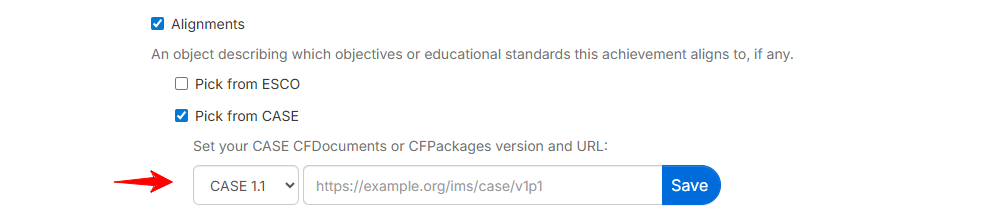
Pro service level also supports alignment with CASE (Curriculum and Assessment Standards Exchange) referentials, a technical specification maintained by 1EdTech that establishes a standard way to exchange information about academic standards, competencies, and learning outcomes across platforms and applications.
Was this article helpful?
That’s Great!
Thank you for your feedback
Sorry! We couldn't be helpful
Thank you for your feedback
Feedback sent
We appreciate your effort and will try to fix the article